

You can bookmark your favorite product pages and save your selection conditions.
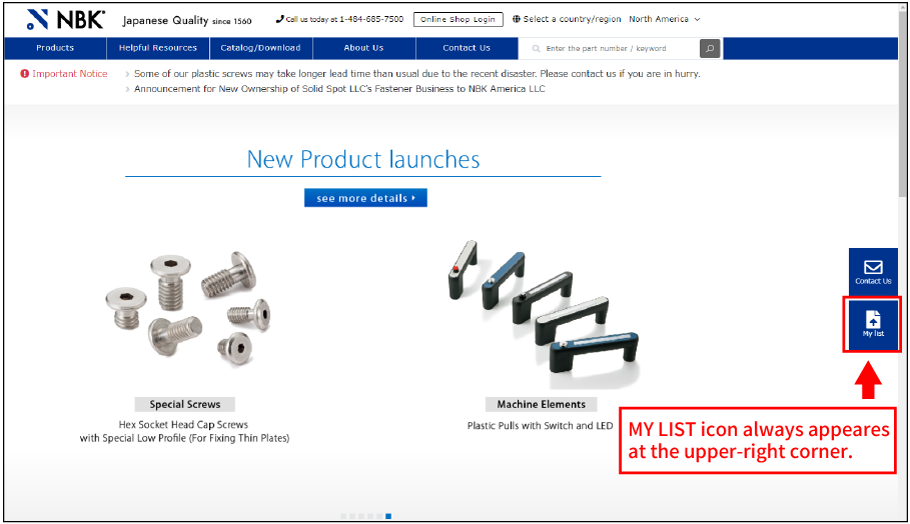
How to use MY LIST.
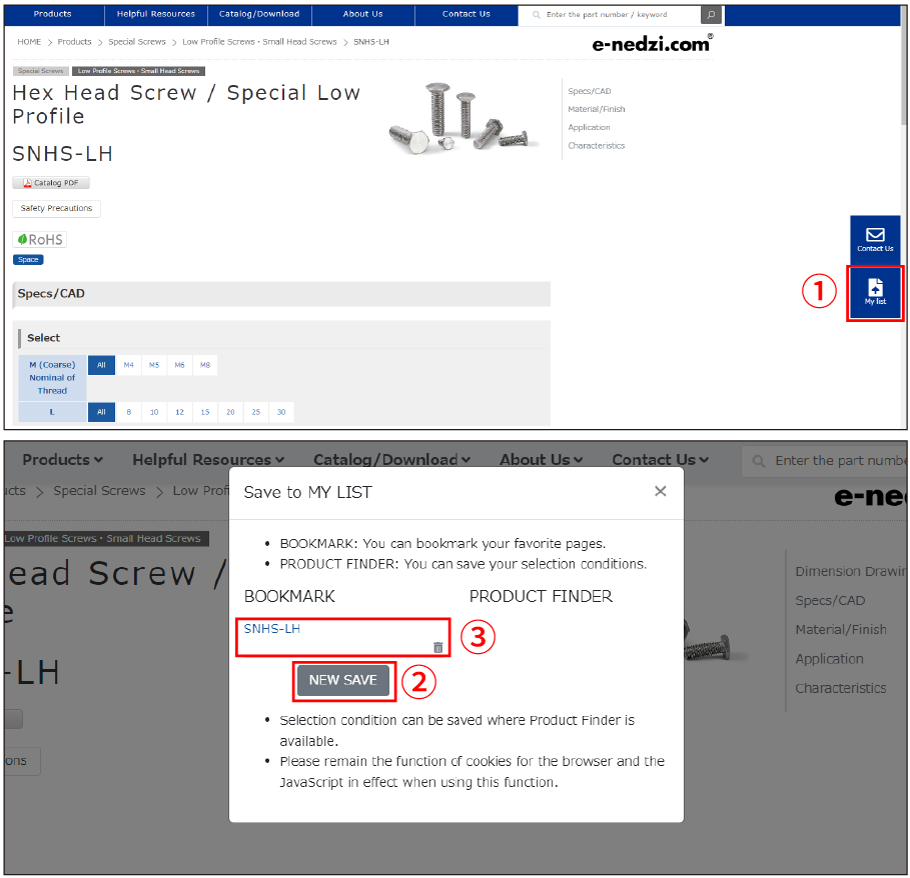
Bookmark your favorite pages.
①Go to your favorite page and click MY LIST icon. ②Click NEW SAVE button. ③You can move to the saved pages from MY LIST instantly.
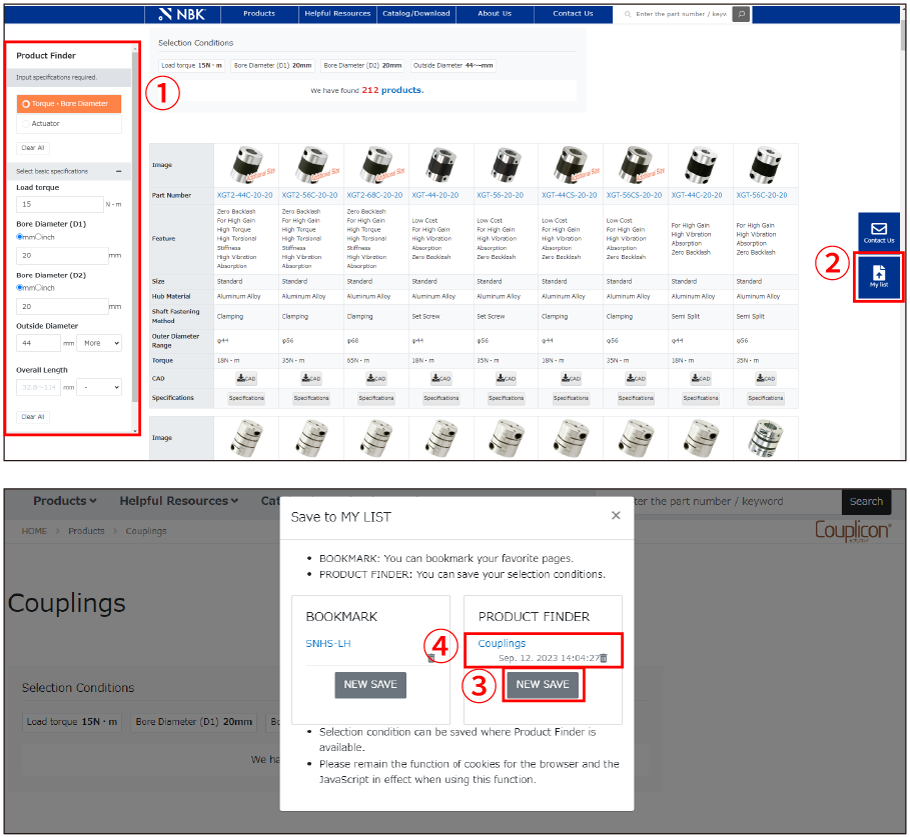
Save your selection conditions.
①Input specifications required and click the submit button. ②Atfer you get the result, click MY LIST icon. ③Click NEW SAVE button. ④You can move to the result pages from MY LIST instantly. ※Selection condition can be saved where Product Finder is available.
※Please remain the function of cookies for the browser and the JavaScript in effect when using this function.